StarTech.com Thunderbolt 3 to Dual HDMI Adapter - 4K 60Hz - Mac and Windows Compatible - 11.20" HDMI/Thunderbolt 3 A/V Cable for Monitor, MacBook Pro, Notebook, Computer - First End: 2 x 19-pin HDMI Digital Audio/Video - Female - Second End: 1 x 2...


About this item
Price: Available Upon Quote
50+ In Stock.





This high-performance Thunderbolt™ 3 adapter lets you add two 4K 60Hz HDMI monitors to your Windows® or Mac computer through a single Thunderbolt port. The Thunderbolt video adapter is compatible with computer systems that support Thunderbolt such as models of MacBook Pro, Dell™ Precision and Dell XPS. Thunderbolt is a protocol that uses the USB-C™ connector, but your computer system must support Thunderbolt in order for the adapter to function as expected. If you connect the adapter to a USB-C port that does not support Thunderbolt, the adapter will not function. Connect two UHD 4K displays to your computer at 60Hz With an unprecedented 40Gbps of throughput, Thunderbolt 3 enables you to achieve the previously impossible feat of using a single port on your laptop to output dual 4K resolution at 60Hz to two independent displays. This performance lets you run the most resource-demanding applications imaginable. You can output independent content to each display at resolutions of up to 4096 x 2160p (60Hz), which is perfect for editing 4K video or performing other Ultra HD tasks such as creating CAD drawings or reviewing medical imagery. Supports dual 4K displays to work more efficiently Functioning as an external 2-port graphics adapter with audio support, this is a compact and convenient alternative to a laptop dock when you don't need full docking capability. With two UHD 4K displays, you can work more efficiently from your laptop, so you can accomplish more in the same amount of time. With each display delivering 4K performance, you can have four times the screen space compared to 1080p. Creative professionals can be more productive with the freedom to edit 4K video on one display while previewing raw video playback on the second 4K display. Won't drain system resources This adapter helps to keep your system running at peak performance. Unlike USB external video solutions, Thunderbolt 3 lets you run Ultra HD 4K resolution at 60Hz on both displays without draining system resources. Because it's backward compatible with your high-definition 1080p displays, this is a great accessory for home, office or other desktop workspace applications. Note: In order to connect to two displays at 4K 60Hz, your computer system must have a fully enabled Thunderbolt port that supports up to 40Gbps or the host must support dual displays over Thunderbolt.
| Cable Length: | 11.20",284.48 |
|---|---|
| Environmentally Friendly: | Yes |
| Supported Resolution: | 4096 x 2160 |
| Connector on First End Details: | 2 x 19-pin HDMI Digital Audio/Video - Female |
| Connector on Second End Details: | 1 x 24-pin Type C Thunderbolt 3 - Male |
| Features: | Active |
| Features: | HDCP 2.2 |
| Features: | HDCP 1.4 |
| Manufacturer: | StarTech.com |
| Product Name: | Thunderbolt 3 to Dual HDMI Adapter - 4K 60Hz - Mac and Windows Compatible |
| Data Transfer Rate: | 40 Gbit/s |
| Device Supported: | Monitor |
| Device Supported: | MacBook Pro |
| Device Supported: | Notebook |
| Device Supported: | Computer |
| Manufacturer Part Number: | TB32HD24K60 |
| Manufacturer Website Address: | http://www.startech.com |
| Marketing Information: | This high-performance Thunderbolt™ |
| Packaged Quantity: | 1 Each |
| Limited Warranty: | 2 Year Lifetime |
| Cable Length: | 11.20",284.47999999999996 |
| Weight (Approximate): | 0.23 lb |
Lifetime Satisfaction Guarantee
We stand behind our products giving you a lifetime satisfaction guarantee. This means that if you are not completely satisfied with your Vivid Series branded ink cartridges or toners, you can replace them or return them back to us for a refund. This guarantee is to ensure that our customers shop with confidence and are happy with Vivid Series branded products.
Please note that product and satisfaction concerns must be brought to our team's attention within (1) one-year from the date of purchase or within 50% of product usage (usually found in Printer Settings). Concerns made known after the one-year period will be issued store credit. We must receive the items being returned before we issue a refund or store credit.
Below you will find our most frequently asked questions. If you have any additional questions or feedback, please do not hesitate to contact us.
-
What is a compatible ink cartridge?
A compatible ink or toner cartridge is a generic version of a name-brand cartridge. However, not all cartridges are made with the same quality. All Vivid Series cartridges pass a rigorous compliance test and are certified under the ISO 9001/14001 quality and environmental system. All Vivid Series branded cartridges include our Vivid Series lifetime satisfaction guarantee, a full 1-year warranty, and lifetime customer support.
-
Does using compatible cartridges void my printer warranty?
No.
Do not worry, your printer warranty cannot be voided for using compatible products.
Your rights and printer warranty are protected by the Magnuson-Moss Warranty Improvement Act.
MAGNUSON-MOSS WARRANTY IMPROVEMENT ACT
United States Code Annotated
Title 15 Commerce and Trade
Chapter 50 Consumer Product Warranties
Section 2302 (c)
-
What is the difference between standard and XL cartridges?
The difference in Standard and XL cartridges is primarily the page yield. XL cartridges will print more pages than a Standard cartridge. They are designed to fit the same printer models and can be interchanged at any time. XL cartridges are a bit more expensive than standard cartridges, however they are actually more cost-effective as the XL cartridge allows you to print almost double the amount with some models, making the average printing cost per page lower. If you print on a regular basis or want to save money in the long run, the XL cartridge will provide savings and also last you longer periods so you do not need to order ink as frequently. If you do not print very often then a standard cartridge will get the job done.
-
How do I find the right cartridge for my printer?
You can find the cartridge name/number on your old ink cartridge. Also, the owner's manual will have the cartridge type and number, which is usually found in the cartridge replacement or device maintenance sections of the owner's manual.
-
Is your website secure?
Our servers are PCI DSS 3.2 certified at Level 1, which protects against credit card data breaches.
Related Products


StarTech.com
StarTech.com 2m HDMI Extension Cable - Ultra HD 4k x 2k HDMI Cable - M/F - 6.56 ft HDMI Video Cable for Audio/Video Device - First End: 1 x 19-pin HDMI Digital Audio/Video - Male - Second End: 1 x 19-pin HDMI Digital Audio/Video - Female - Extensi...
StarTech.com 2m HDMI Extension Cable - Ultra HD 4k x 2k HDMI Cable - M/F - 6.56 ft HDMI Video Cable for Audio/Video Device - First End: 1 x 19-pin HDMI Digital Audio/Video - Male - Second End: 1 x...
StarTech.com
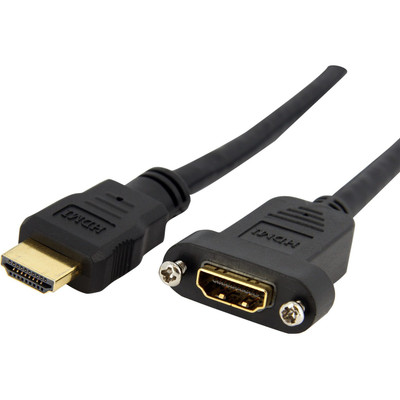
StarTech.com 3 ft Standard HDMI® Cable for Panel Mount - F/M - 3 ft HDMI Video Cable Adapter for PC, Audio/Video Device, Faceplate - First End: 1 x 19-pin HDMI Digital Audio/Video - Female, Digital Audio/Video - Female - Second End: 1 x 19-pin...
StarTech.com 3 ft Standard HDMI® Cable for Panel Mount - F/M - 3 ft HDMI Video Cable Adapter for PC, Audio/Video Device, Faceplate - First End: 1 x 19-pin HDMI Digital Audio/Video - Female, Digital...

StarTech.com
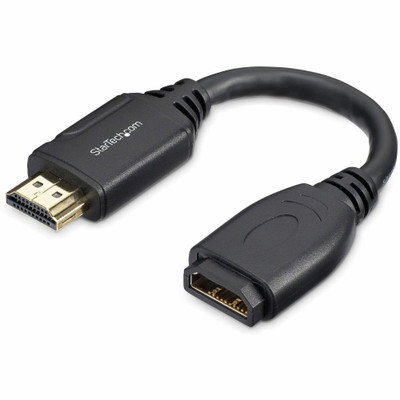
StarTech.com 6 in. High Speed HDMI Port Saver Cable - 4K 60Hz - 6" HDMI Video Cable for Monitor, Audio/Video Device, Computer, Notebook, Workstation, Apple TV - First End: 1 x 19-pin HDMI 2.0 Digital Audio/Video - Male - Second End: 1 x 19-pin HDM...
StarTech.com 6 in. High Speed HDMI Port Saver Cable - 4K 60Hz - 6" HDMI Video Cable for Monitor, Audio/Video Device, Computer, Notebook, Workstation, Apple TV - First End: 1 x 19-pin HDMI 2.0 Digital...


StarTech.com
StarTech.com HDMI A/V Cable - 22.97 ft HDMI Video Cable for Monitor, TV, Home Theater System, Digital Signage Display, Audio/Video Device - First End: 1 x 19-pin HDMI 2.0 Digital Audio/Video - Male - Second End: 1 x 19-pin HDMI 2.0 Digital Audio/V...
StarTech.com HDMI A/V Cable - 22.97 ft HDMI Video Cable for Monitor, TV, Home Theater System, Digital Signage Display, Audio/Video Device - First End: 1 x 19-pin HDMI 2.0 Digital Audio/Video - Male -...


StarTech.com
StarTech.com 8in HDMI® to DVI-D Video Cable Adapter - HDMI Male to DVI Female - 8" DVI/HDMI Video Cable Adapter for Video Device, Monitor, Notebook - First End: 1 x 19-pin HDMI Digital Audio/Video - Male - Second End: 1 x 25-pin DVI-D Digital ...
StarTech.com 8in HDMI® to DVI-D Video Cable Adapter - HDMI Male to DVI Female - 8" DVI/HDMI Video Cable Adapter for Video Device, Monitor, Notebook - First End: 1 x 19-pin HDMI Digital Audio/Video -...