Kensington SD4780p USB 4K Hybrid Docking Station - for Notebook, Monitor - USB Type C - 2 Displays Supported - 4K, UHD - 3840 x 2160 - 6 x USB Ports - USB Type-A - USB Type-C - HDMI - DisplayPort - Black - Wired - Windows 7, Mac OS X 10.14 Mojave,...






About this item
Price: Available Upon Quote
50+ In Stock.





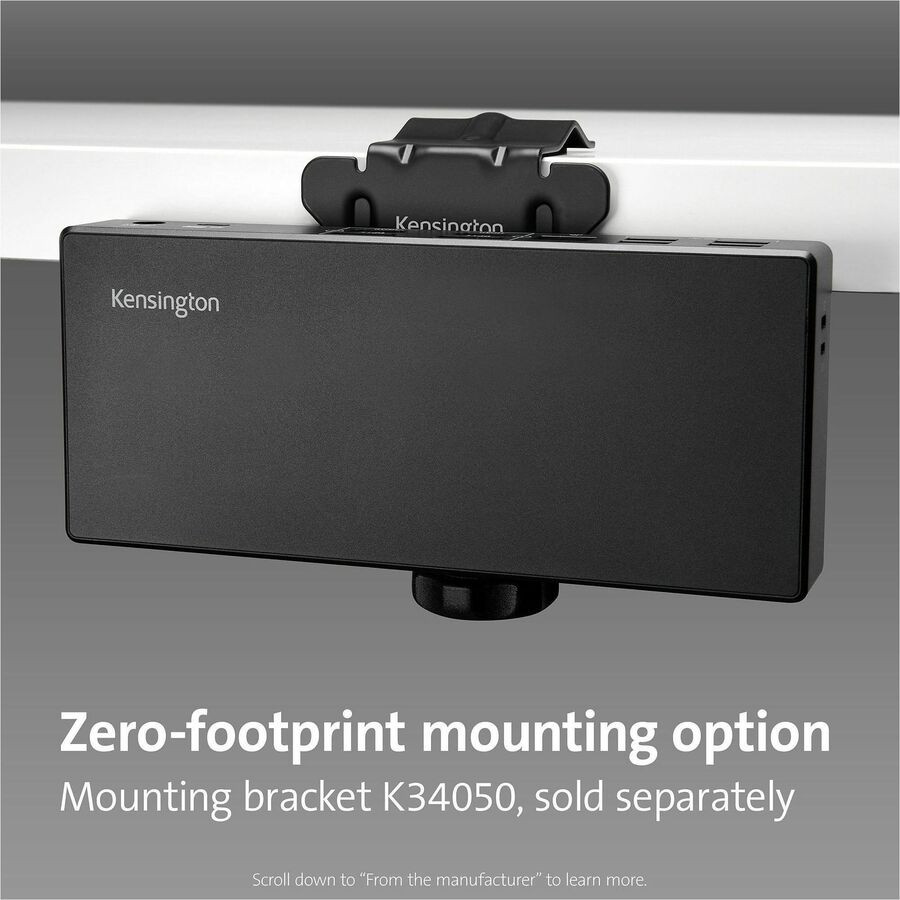
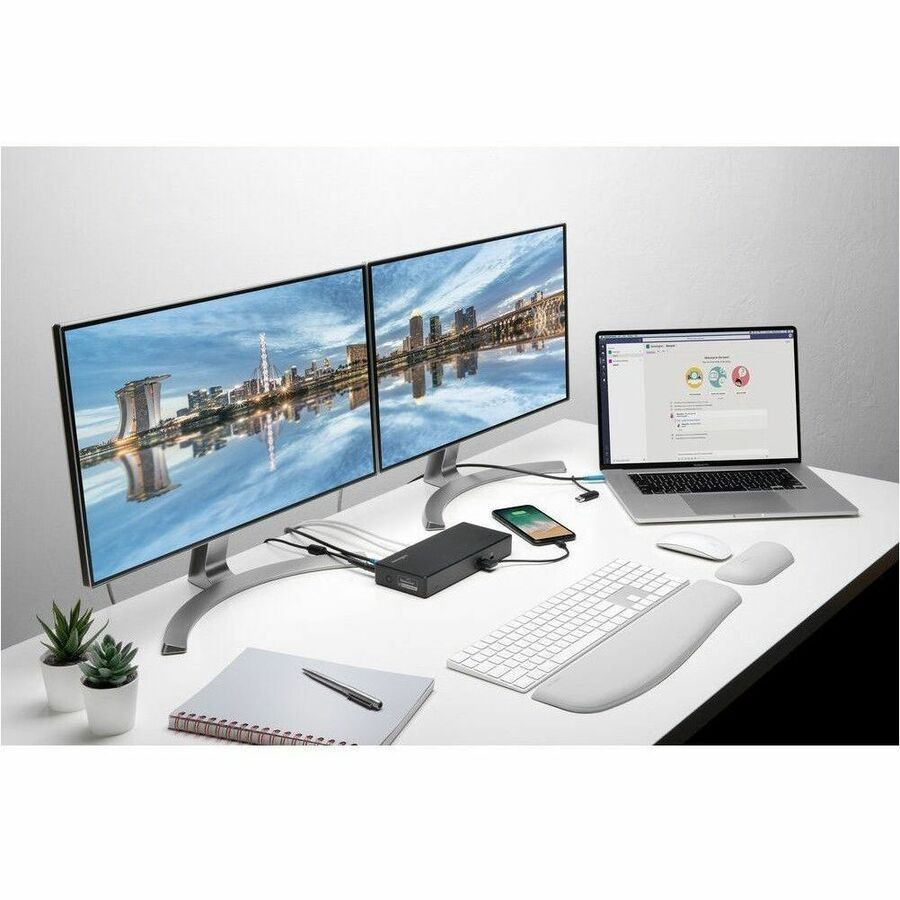
SD4780p USB-C/USB-A Dual 4K Hybrid Docking Station is the ultimate hybrid solution for Ultra High Definition (UHD), 4K video connection. Select between HDMI 2.0 and Dual-Mode DisplayPort Plus without needing a separate adapter. Docking station supports single or dual monitors at 60 Hz. Universal dock connects any USB-C or USB-A laptop and is Thunderbolt 3 compatible. It supports Windows 7 and above, macOS 10.14 and above and ChromeOS 44 and above. Docking station includes four video ports, six USB ports and 100-watt Power Delivery. Two-layer hub delivers speeds up to 10 Gbps. Plug-and-play design requires DisplayLink driver installation. Optional Kensington DockWorks software provides better connection, performance and security for your docking station. Connect your device using the 1 meter (3.28') long USB-C to USB-C cable with USB-A adapter. Adjustable clamp (not included) attaches to a desktop edge, cubicle wall, monitor arm or other surface for mounting flexibility.
| Number of Displays Supported: | 2 |
|---|---|
| USB Power Delivery: | 100W |
| Supported Resolutions: | 3840 x 2160 |
| USB Type-A: | Yes |
| Screen Mode Supported: | 4K |
| Screen Mode Supported: | UHD |
| Operating System Supported: | Windows 7 |
| Operating System Supported: | Mac OS X 10.14 Mojave |
| Operating System Supported: | ChromeOS 44 |
| Manufacturer: | Kensington Computer Products Group |
| Product Model: | SD4780p |
| Product Name: | SD4780p USB 4K Hybrid Docking Station |
| Manufacturer Part Number: | 33620 |
| Manufacturer Website Address: | http://www.kensington.com |
| Marketing Information: | SD4780p USB-C/USB-A Dual 4K Hybrid Docking Station is the ultimate hybrid solution for Ultra High Definition (UHD), 4K video connection. Select between HDMI 2.0 and Dual-Mode DisplayPort Plus without needing a separate adapter. Docking station suppor |
| Packaged Quantity: | 1 Each |
Lifetime Satisfaction Guarantee
We stand behind our products giving you a lifetime satisfaction guarantee. This means that if you are not completely satisfied with your Vivid Series branded ink cartridges or toners, you can replace them or return them back to us for a refund. This guarantee is to ensure that our customers shop with confidence and are happy with Vivid Series branded products.
Please note that product and satisfaction concerns must be brought to our team's attention within (1) one-year from the date of purchase or within 50% of product usage (usually found in Printer Settings). Concerns made known after the one-year period will be issued store credit. We must receive the items being returned before we issue a refund or store credit.
Below you will find our most frequently asked questions. If you have any additional questions or feedback, please do not hesitate to contact us.
-
What is a compatible ink cartridge?
A compatible ink or toner cartridge is a generic version of a name-brand cartridge. However, not all cartridges are made with the same quality. All Vivid Series cartridges pass a rigorous compliance test and are certified under the ISO 9001/14001 quality and environmental system. All Vivid Series branded cartridges include our Vivid Series lifetime satisfaction guarantee, a full 1-year warranty, and lifetime customer support.
-
Does using compatible cartridges void my printer warranty?
No.
Do not worry, your printer warranty cannot be voided for using compatible products.
Your rights and printer warranty are protected by the Magnuson-Moss Warranty Improvement Act.
MAGNUSON-MOSS WARRANTY IMPROVEMENT ACT
United States Code Annotated
Title 15 Commerce and Trade
Chapter 50 Consumer Product Warranties
Section 2302 (c)
-
What is the difference between standard and XL cartridges?
The difference in Standard and XL cartridges is primarily the page yield. XL cartridges will print more pages than a Standard cartridge. They are designed to fit the same printer models and can be interchanged at any time. XL cartridges are a bit more expensive than standard cartridges, however they are actually more cost-effective as the XL cartridge allows you to print almost double the amount with some models, making the average printing cost per page lower. If you print on a regular basis or want to save money in the long run, the XL cartridge will provide savings and also last you longer periods so you do not need to order ink as frequently. If you do not print very often then a standard cartridge will get the job done.
-
How do I find the right cartridge for my printer?
You can find the cartridge name/number on your old ink cartridge. Also, the owner's manual will have the cartridge type and number, which is usually found in the cartridge replacement or device maintenance sections of the owner's manual.
-
Is your website secure?
Our servers are PCI DSS 3.2 certified at Level 1, which protects against credit card data breaches.
Related Products


StarTech.com
StarTech.com Docking Station - for Notebook, Projector, Monitor - USB Type C - 1 Displays Supported - 4K - 4096 x 2160, 3840 x 2160 - 1 x USB Type-A Ports - USB Type-A - USB Type-C - 1 x HDMI Ports - HDMI - Black - Wired - Windows, macOS
StarTech.com Docking Station - for Notebook, Projector, Monitor - USB Type C - 1 Displays Supported - 4K - 4096 x 2160, 3840 x 2160 - 1 x USB Type-A Ports - USB Type-A - USB Type-C - 1 x HDMI Ports -...


StarTech.com
StarTech.com Docking Station - for Monitor, Notebook, Projector - 60 W - USB Type C - 1 Displays Supported - 4K - 4096 x 2160, 3840 x 2160 - 1 x USB Type-A Ports - USB Type-A - USB Type-C - 1 x HDMI Ports - HDMI - White - Wired - Windows, macOS
StarTech.com Docking Station - for Monitor, Notebook, Projector - 60 W - USB Type C - 1 Displays Supported - 4K - 4096 x 2160, 3840 x 2160 - 1 x USB Type-A Ports - USB Type-A - USB Type-C - 1 x HDMI...


StarTech.com
StarTech.com USB-C Multiport Adapter for Laptops - 4K HDMI - GbE - USB-C - USB-A - for Notebook - USB Type C - 1 Displays Supported - 4K - 4096 x 2160, 3840 x 2160 - 2 x USB Ports - 2 x USB 3.0 - USB Type-A - USB Type-C - Network (RJ-45) - HDMI - ...
StarTech.com USB-C Multiport Adapter for Laptops - 4K HDMI - GbE - USB-C - USB-A - for Notebook - USB Type C - 1 Displays Supported - 4K - 4096 x 2160, 3840 x 2160 - 2 x USB Ports - 2 x USB 3.0 - USB...


StarTech.com
StarTech.com Docking Station - for Smartphone, Tablet, Notebook - 100 W - USB Type C - 1 Displays Supported - 4K - 3840 x 2160 - 2 x USB Type-A Ports - USB Type-A - 1 x USB Type-C Ports - USB Type-C - Network (RJ-45) - 1 x HDMI Ports - HDMI - VGA ...
StarTech.com Docking Station - for Smartphone, Tablet, Notebook - 100 W - USB Type C - 1 Displays Supported - 4K - 3840 x 2160 - 2 x USB Type-A Ports - USB Type-A - 1 x USB Type-C Ports - USB Type-C...


StarTech.com
StarTech.com Docking Station - for Workstation, Notebook - 85 W - USB 3.1 (3.1 Gen 2) Type C - 3 Displays Supported - 4K - 3840 x 2160 - 6 x USB Ports - 4 x USB Type-A Ports - USB Type-A - 2 x USB Type-C Ports - USB Type-C - Network (RJ-45) - HDMI...
StarTech.com Docking Station - for Workstation, Notebook - 85 W - USB 3.1 (3.1 Gen 2) Type C - 3 Displays Supported - 4K - 3840 x 2160 - 6 x USB Ports - 4 x USB Type-A Ports - USB Type-A - 2 x USB...