Brother MFC-L2980DW Wired & Wireless Laser Multifunction Printer - Monochrome - Copier/Fax/Printer/Scanner - 36 ppm Mono Print - 1200 x 1200 dpi Print - Automatic Duplex Print - 1200 dpi Optical Scan - Monochrome Fax - Fast Ethernet - Wireless LAN...







About this item
Price: Available Upon Quote
50+ In Stock.





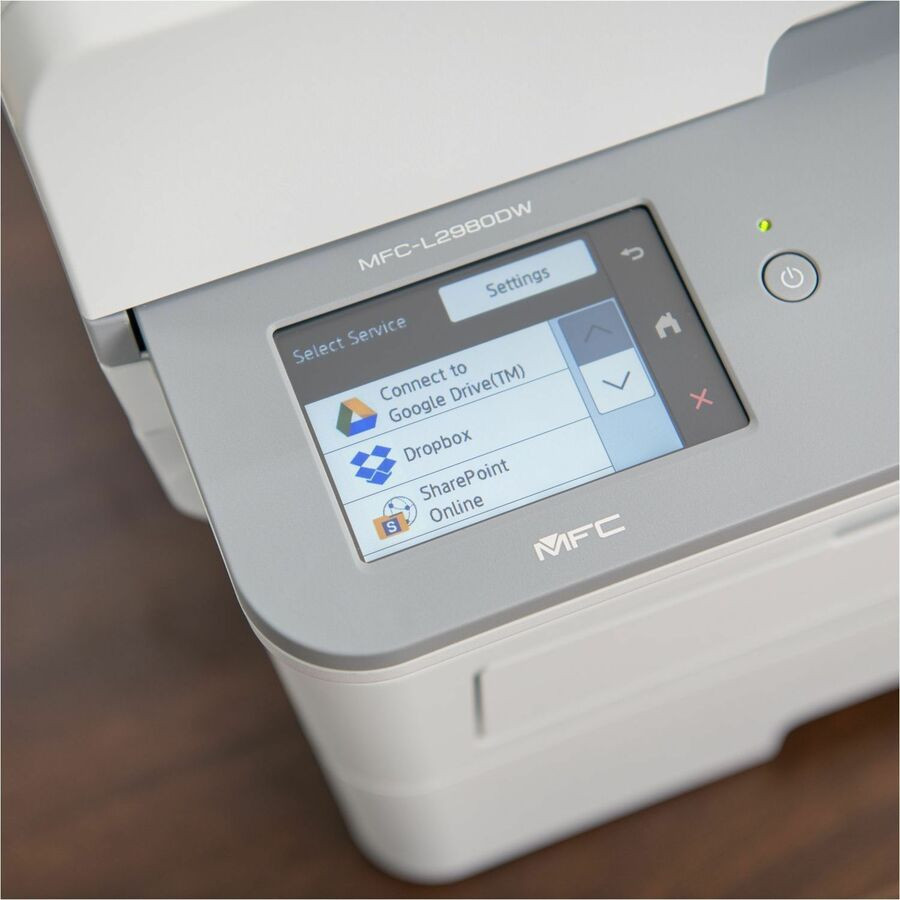
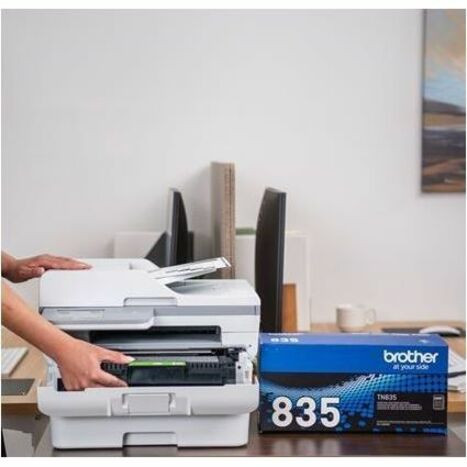
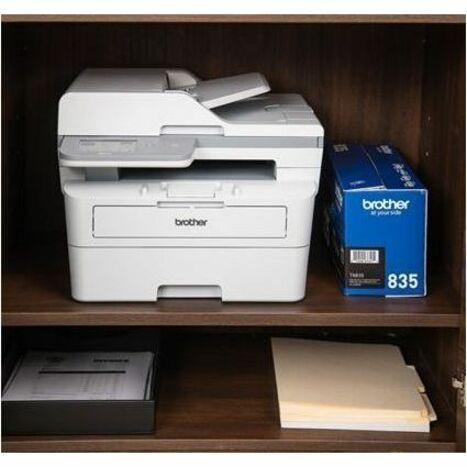
Workhorse MFC-L2980DW Compact Monochrome Laser All-in-One Printer provides the functionality needed for small offices and workgroups. It helps increase productivity with fast print speeds up to 36 ppm. Scan to popular Cloud destinations directly from the 3.5" color touch screen. 250-sheet input tray adjusts for letter/legal-size paper. Use the Brother Genuine TN835 Super High-Yield Replacement Toner Cartridge (not included) to deliver cost-efficient output. Built-in wireless and Ethernet network interfaces are easy to set up and share on a wireless or wired network. Wirelessly print from and scan to mobile devices. Save time with single-pass duplex scanning and copying using the 50-page automatic document feeder for multipage scan, copy and fax. Printer includes a standard-yield toner cartridge that produces up to 1,200 pages. Triple-layer security helps keep devices secure, protects documents in transit and safeguards networks.
| Wireless LAN Standard: | IEEE 802.11b/g/n |
|---|---|
| Minimum Operating Temperature: | 50° |
| Maximum Operating Temperature: | 90.5° |
| Color Cartridge Type: | Single Multicolor Cartridge |
| Recommended Monthly Print Volume: | 3500 |
| Image Formats Supported: | TIFF |
| Image Formats Supported: | JPEG |
| Image Formats Supported: | |
| Supported Network Protocols: | ARP |
| Supported Network Protocols: | RARP |
| Supported Network Protocols: | IPv4 |
| Supported Network Protocols: | IPv6 |
| Supported Network Protocols: | BOOTP |
| Supported Network Protocols: | DHCP |
| Supported Network Protocols: | APIPA (Auto IP) |
| Supported Network Protocols: | WINS/NetBIOS |
| Supported Network Protocols: | DNS Resolver |
| Supported Network Protocols: | mDNS |
| Supported Network Protocols: | LLMNR Responder |
| Supported Network Protocols: | LPR/LPD |
| Supported Network Protocols: | TFTP Server |
| Supported Network Protocols: | NDP |
| Scan To: | |
| Scan To: | OCR |
| Scan To: | File |
| Scan To: | Image |
| Scan To: | FTP |
| Scan To: | HTTP |
| Scan To: | SharePoint |
| Near Field Communication (NFC): | Yes |
| Minimum Operating Humidity: | 20% |
| Maximum Operating Humidity: | 80% |
| Maximum Copy Resolution (dpi): | 600 x 600 |
| Optical Resolution (dpi): | 1200 |
| Standard Output Media Capacity: | 120 sheets |
| Height: | 12.6",319.0 |
| Width: | 16.1",410.0 |
| Depth: | 16.6",421.0 |
| Operating System Supported: | Windows Software (Brother iPrint& |
| Language Emulation: | PCL 6 |
| Language Emulation: | PDF v1.7 |
| Language Emulation: | BR-Script 3 |
| Manufacturer: | Brother Industries, Ltd |
| Product Name: | MFC-L2980DW Laser Multifunction Printer |
| Noise Levels: | 49 dB |
| Screen Size: | 3.50",88.89999999999999 |
| Media Handling: | 1 x input tray 250 Sheets |
| Media Handling: | 1 x 50 Sheet Automatic Document Feeder (ADF) |
| Media Handling: | 1 x Paper output 120 sheets |
| Media Handling: | 1 x Manual Feed Slot (1 sheet) |
| First Print Speed: | 6.9 Second Monochrome |
| Manufacturer Part Number: | MFCL2980DW |
| Manufacturer Website Address: | http://www.brother-usa.com |
| Marketing Information: | Workhorse MFC-L2980DW Compact Monochrome Laser All-in-One Printer provides the functionality needed for small offices and workgroups. It helps increase productivity with fast print speeds up to 36 ppm. Scan to popular Cloud destinations directly from |
| Packaged Quantity: | 1 Each |
| Package Contents: |
|
| Limited Warranty: | 1 Year |
| Weight (Approximate): | 27.3 lb |
Lifetime Satisfaction Guarantee
We stand behind our products giving you a lifetime satisfaction guarantee. This means that if you are not completely satisfied with your Vivid Series branded ink cartridges or toners, you can replace them or return them back to us for a refund. This guarantee is to ensure that our customers shop with confidence and are happy with Vivid Series branded products.
Please note that product and satisfaction concerns must be brought to our team's attention within (1) one-year from the date of purchase or within 50% of product usage (usually found in Printer Settings). Concerns made known after the one-year period will be issued store credit. We must receive the items being returned before we issue a refund or store credit.
Below you will find our most frequently asked questions. If you have any additional questions or feedback, please do not hesitate to contact us.
-
What is a compatible ink cartridge?
A compatible ink or toner cartridge is a generic version of a name-brand cartridge. However, not all cartridges are made with the same quality. All Vivid Series cartridges pass a rigorous compliance test and are certified under the ISO 9001/14001 quality and environmental system. All Vivid Series branded cartridges include our Vivid Series lifetime satisfaction guarantee, a full 1-year warranty, and lifetime customer support.
-
Does using compatible cartridges void my printer warranty?
No.
Do not worry, your printer warranty cannot be voided for using compatible products.
Your rights and printer warranty are protected by the Magnuson-Moss Warranty Improvement Act.
MAGNUSON-MOSS WARRANTY IMPROVEMENT ACT
United States Code Annotated
Title 15 Commerce and Trade
Chapter 50 Consumer Product Warranties
Section 2302 (c)
-
What is the difference between standard and XL cartridges?
The difference in Standard and XL cartridges is primarily the page yield. XL cartridges will print more pages than a Standard cartridge. They are designed to fit the same printer models and can be interchanged at any time. XL cartridges are a bit more expensive than standard cartridges, however they are actually more cost-effective as the XL cartridge allows you to print almost double the amount with some models, making the average printing cost per page lower. If you print on a regular basis or want to save money in the long run, the XL cartridge will provide savings and also last you longer periods so you do not need to order ink as frequently. If you do not print very often then a standard cartridge will get the job done.
-
How do I find the right cartridge for my printer?
You can find the cartridge name/number on your old ink cartridge. Also, the owner's manual will have the cartridge type and number, which is usually found in the cartridge replacement or device maintenance sections of the owner's manual.
-
Is your website secure?
Our servers are PCI DSS 3.2 certified at Level 1, which protects against credit card data breaches.
Related Products


Brother
Brother MFC-L6915DW Wireless Laser Multifunction Printer - Monochrome - Copier/Fax/Printer/Scanner - 52 ppm Mono Print - 1200 x 1200 dpi Print - Automatic Duplex Print - Up to 160000 Pages Monthly - Color Flatbed/ADF Scanner - 1200 dpi Optical Sca...
Brother MFC-L6915DW Wireless Laser Multifunction Printer - Monochrome - Copier/Fax/Printer/Scanner - 52 ppm Mono Print - 1200 x 1200 dpi Print - Automatic Duplex Print - Up to 160000 Pages Monthly -...

Brother
Brother Workhorse MFC-L6900DWX Wireless Laser Multifunction Printer - Monochrome - Copier/Fax/Printer/Scanner - 52 ppm Mono Print - 1200 x 1200 dpi Print - Automatic Duplex Print - Up to 150000 Pages Monthly - Color Flatbed Scanner - 1200 dpi Opti...
Brother Workhorse MFC-L6900DWX Wireless Laser Multifunction Printer - Monochrome - Copier/Fax/Printer/Scanner - 52 ppm Mono Print - 1200 x 1200 dpi Print - Automatic Duplex Print - Up to 150000 Pages...

Brother
Brother MFC-L6700DW Wireless Laser Multifunction Printer - Monochrome - Copier/Fax/Printer/Scanner - 48 ppm Mono Print - 1200 x 1200 dpi Print - Automatic Duplex Print - Up to 100000 Pages Monthly - 570 sheets Input - Color Scanner - 1200 dpi Opti...
Brother MFC-L6700DW Wireless Laser Multifunction Printer - Monochrome - Copier/Fax/Printer/Scanner - 48 ppm Mono Print - 1200 x 1200 dpi Print - Automatic Duplex Print - Up to 100000 Pages Monthly -...


HP
HP LaserJet Pro 4101fdwe Wireless Laser Multifunction Printer - Monochrome - White - Copier/Fax/Printer/Scanner - 4800 x 600 dpi Print - Automatic Duplex Print - Up to 80000 Pages Monthly - Color Flatbed Scanner - 1200 dpi Optical Scan - Monochrom...
HP LaserJet Pro 4101fdwe Wireless Laser Multifunction Printer - Monochrome - White - Copier/Fax/Printer/Scanner - 4800 x 600 dpi Print - Automatic Duplex Print - Up to 80000 Pages Monthly - Color...


Brother
Brother MFC-J5955DW Wireless INKvestment Tank Inkjet Multifunction Printer - Color - Copier/Fax/Printer/Scanner - 30 ppm Mono/30 ppm Color Print - 1200 x 4800 dpi Print - Automatic Duplex Print - Color Flatbed/CIS Scanner - 1200 dpi Optical Scan -...
Brother MFC-J5955DW Wireless INKvestment Tank Inkjet Multifunction Printer - Color - Copier/Fax/Printer/Scanner - 30 ppm Mono/30 ppm Color Print - 1200 x 4800 dpi Print - Automatic Duplex Print -...